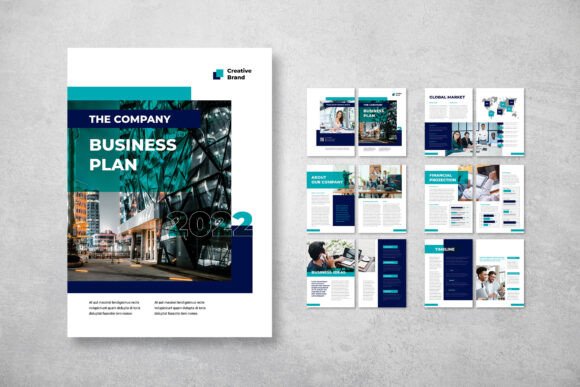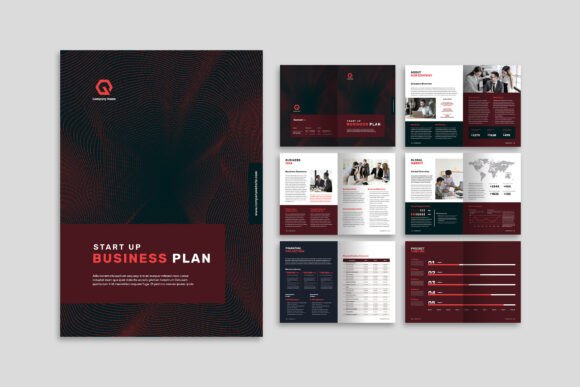
Design Smarter, Present Better: Why the Abstract Cover Business Plan Template Stands Out
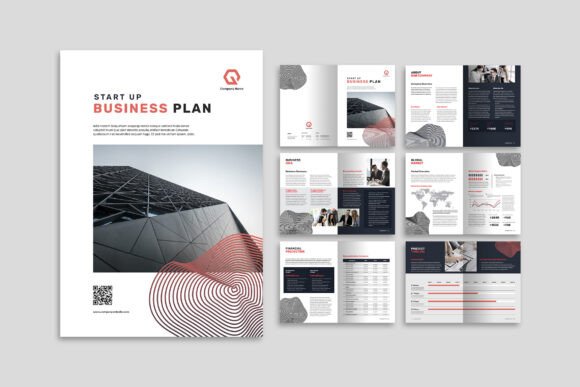
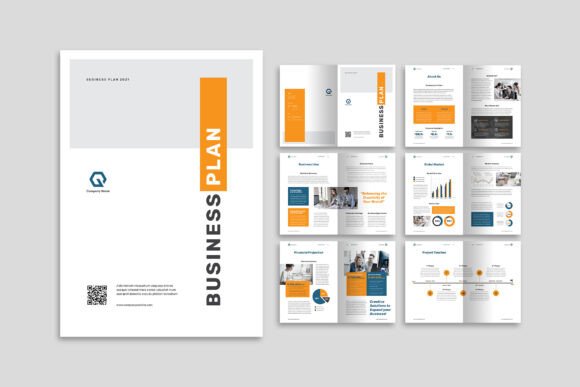
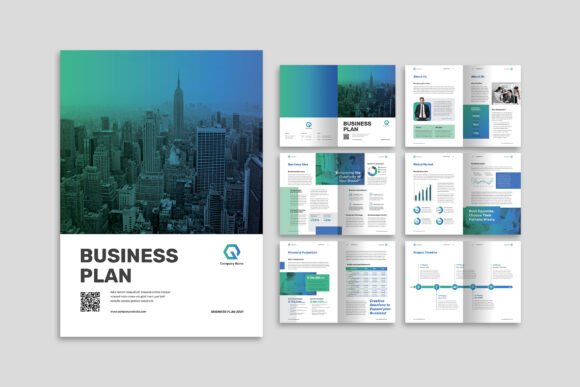
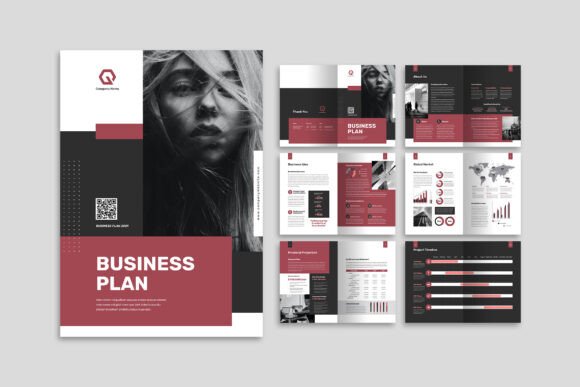
Creating a professional company profile or business plan often feels like a tug-of-war between aesthetics and clarity. You want something visually striking, but it also needs to communicate complex data, timelines, and goals without overwhelming the reader. This is where a thoughtfully structured layout becomes indispensable. The Abstract Cover Business Plan template offers a practical solution for those who need to combine imagery, infographics, and text in a polished, elegant format. Built specifically for Adobe InDesign, this A4-sized template streamlines the design process so you can focus on content rather than grid adjustments.
Let’s explore what makes this template a smart choice for modern projects, how it fits into everyday workflows, and why its specific features matter for professionals who value both form and function.
What the Abstract Cover Business Plan Actually Offers
At its core, this template is a 12-page company profile and business plan layout designed for A4 paper (29.7 cm x 21 cm). It includes the front cover and back cover, giving you a complete document framework out of the box. The file format supports INDD (the native InDesign format) and IDML, ensuring compatibility across different versions of the software.
The template emphasizes a stylish and elegant aesthetic, but it doesn’t sacrifice practicality. Layers are neatly organized, and smart layers make it easy to swap images, adjust text blocks, or modify color schemes without breaking the design. For anyone who has wrestled with messy layer panels, this alone is a significant time-saver.
Who Benefits Most from This Layout
While the template is marketed broadly, certain professionals will find it particularly useful:
- Startups and small business owners preparing pitch decks or investor materials that need to look credible without hiring a designer.
- Marketing and communications teams producing quarterly reports, capability statements, or service brochures.
- Freelance designers who need a reliable base layout that can be quickly customized for different clients.
- Consultants and agencies that regularly present strategic plans with data-heavy infographics.
The template’s versatility means it can adapt to brand guidelines across industries—from tech startups to creative agencies, from financial services to nonprofit organizations.
Key Functional Features Worth Paying Attention To
Not all templates are created equal. The devil is often in the technical details, especially when you’re working under deadlines. Here’s what the Abstract Cover Business Plan delivers:
Print-Ready Specifications
The template uses CMYK color format and 300 DPI resolution, which are the industry standards for professional printing. It also includes a 3 mm bleed—that extra margin around the edges that ensures your background colors and images extend fully to the edge of the page after trimming. If you’ve ever had a document come back from the printer with white slivers along the edges, you’ll appreciate this attention to detail.
Font Flexibility
Instead of bundling proprietary fonts that might not be available or that require additional licensing, the template recommends free fonts from DaFont or Google Fonts. This is a thoughtful approach because it keeps your project legally safe and ensures that anyone on your team can open the file without missing font notifications. It also gives you the freedom to swap in a typeface that better matches your client’s personality.
Smart Layers and Organized Structure
The template’s layers are neatly organized and labeled. This makes it straightforward to locate specific elements—whether it’s a placeholder image, a text box, or a background shape. For collaborative projects, this structure reduces the risk of accidentally moving or deleting something important. It also speeds up the customization process for designers who want to add or remove pages without disrupting the entire layout.
12 Custom Pages with Purpose
Having exactly 12 pages—including covers—strikes a good balance. It’s long enough to present a comprehensive overview of your company, services, and data, but short enough to hold the reader’s attention. You can use the pages for:
- Company overview and mission
- Service or product highlights
- Infographics and key metrics
- Team profiles
- Case studies or testimonials
- Contact information and call to action
The template’s structure encourages you to think visually. Because it’s designed to present images alongside infographics and text, you’ll naturally create a more engaging narrative than a text-heavy Word document could achieve.
How It Fits Into Modern Workflows
In a fast-paced professional environment, efficiency matters. The Abstract Cover Business Plan template is built to reduce friction. Since it’s fully customizable in Adobe InDesign, you can modify colors to match brand guidelines, swap in your own photography, and adjust text hierarchy as needed. The IDML file format also ensures that if you’re collaborating with someone using a newer or older version of InDesign, the file opens correctly.
Another practical advantage is the template’s A4 size. While letter-size is common in North America, A4 is the international standard for business documents. This makes the template well-suited for companies that operate globally or need to present materials in formats consistent with ISO standards.
Real-World Scenarios Where This Template Shines
Consider a marketing manager preparing a capability statement for a government tender. They need to highlight past projects, present data on outcomes, and maintain a clean, professional look. Using the Abstract Cover Business Plan template, they can drop in project photos, use infographics to show performance metrics, and keep text concise. The organized layers mean the designer—or even a non-designer—can quickly update the document for future submissions.
Or imagine a startup founder preparing for an investor meeting. They have 12 pages to make their case. With this template, they can lead with a strong cover image, follow with market analysis infographics, and close with a clear financial projection page. The elegant layout signals professionalism without being overly flashy.
Practical Benefits Beyond the Visuals
Choosing a template like this isn’t just about saving time—it’s about raising the baseline quality of your deliverables. When you start with a well-structured layout, you avoid common design pitfalls such as inconsistent spacing, misaligned elements, or cluttered pages. The template imposes a visual discipline that guides the reader’s eyes naturally through the content.
Additionally, the free font approach means you can quickly iterate on different looks. If a client prefers a modern sans-serif, you can use Montserrat from Google Fonts. If they want something more refined, Playfair Display could work for headings. This flexibility is especially valuable for agencies that serve diverse clients with different brand personalities.
The template also respects the 3 mm bleed requirement. For anyone who has printed brochures or booklets, you know the frustration of a document that doesn’t meet print specs. Having this built-in ensures a smoother handoff to commercial printers and reduces last-minute file adjustments.
Considerations Before You Download
No template is a magic bullet. While the Abstract Cover Business Plan offers a solid foundation, it’s important to understand what’s included and what’s not. The images in the preview are for demonstration purposes only—they are not part of the download files. You’ll need to supply your own photography or source stock images separately.
Also, because the template relies on free fonts, you’ll need to download and install those fonts before working on the file. This takes only a few minutes, but it’s a step that some users forget. The daFont or Google Fonts websites make this easy, though, and the fonts are available for commercial use in most cases.
Finally, the template is designed for Adobe InDesign. If you don’t have access to this software, you won’t be able to edit the file directly. However, for professionals already using the Creative Cloud suite, this is a natural fit.
Making the Most of the 12 Pages
To maximize the template’s potential, think strategically about how you distribute content across the 12 pages. Here’s one possible structure:
- Front cover – Bold image, company name, tagline.
- About us – Brief company story, mission, vision.
- Our services – Overview with icons or small images.
- Key differentiators – Why you stand out.
- Market analysis – Infographics showing trends.
- Case study – One success story with visual evidence.
- Team section – Headshots and short bios.
- Client testimonials – Quotes and logos.
- Financial projections – Charts and tables.
- Growth roadmap – Timeline or milestone graphic.
- Contact information – Details and call to action.
- Back cover – Repeating key message or closing statement.
This structure ensures a logical flow while making full use of the template’s layout strengths. You’re not just filling pages—you’re building a narrative that supports your business objectives.
Final Observations on Choosing a Template
The Abstract Cover Business Plan template is more than a pretty layout. Its strength lies in the balance between design elegance and practical functionality. Between the CMYK-ready color profile, the 300 DPI resolution, the 3 mm bleed, and the smartly organized InDesign layers, it addresses the technical requirements that often trip up less experienced users. At the same time, the free font policy and A4 format make it accessible for a wide range of projects.
Whether you’re preparing a company profile for a potential partner, a business plan for investors, or a capability statement for a bid, starting with a template that respects both design and print standards gives you a clear advantage. You can spend less time wrestling with software settings and more time refining your message—which, after all, is what your audience really cares about.