Startup Business Plan: A Practical Template for Professional Business Documents
A well-structured business plan is one of the most important documents a startup or established company can produce. It serves as a roadmap, a pitch to investors, and a reference point for internal strategy. But creating one that looks professional and communicates clearly takes time, especially when you are balancing layout, typography, and data presentation. That is where the Startup Business Plan template comes in. Designed for Adobe InDesign, this A4 layout gives you a polished foundation so you can focus on content rather than formatting.
This article walks through what the template offers, how it fits into the broader process of business planning, and how to integrate it into your workflow for consistent, high-quality results. Whether you are a founder preparing a pitch deck, a consultant building a client proposal, or an internal team documenting a new venture, understanding how to use this template effectively will save you time and elevate your output.
What the Startup Business Plan Template Provides
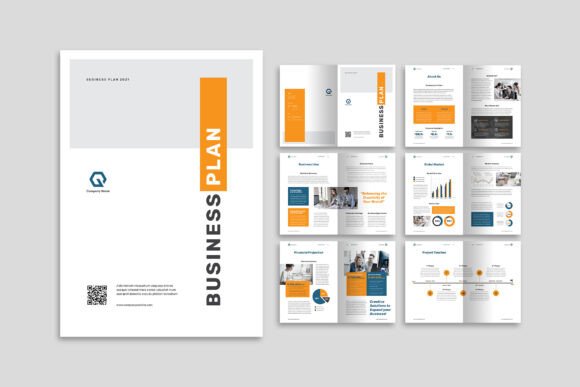
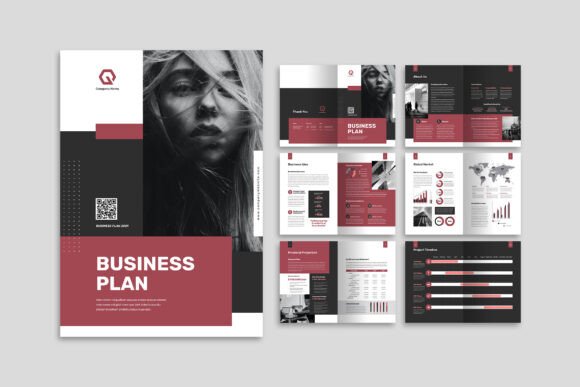
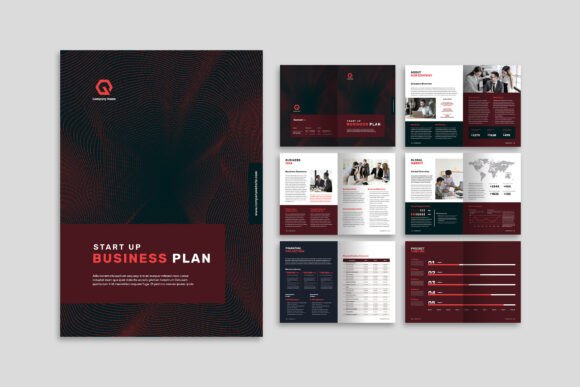
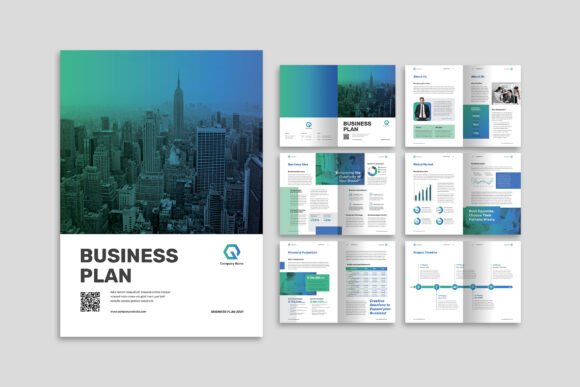
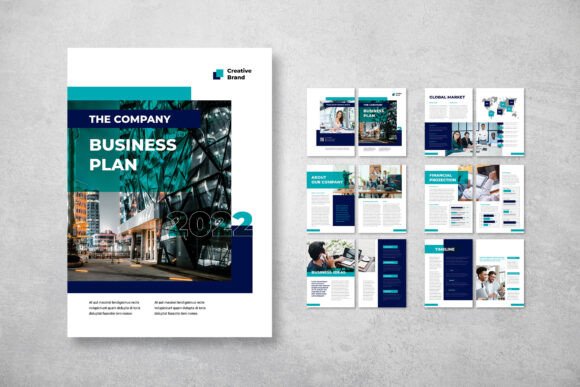
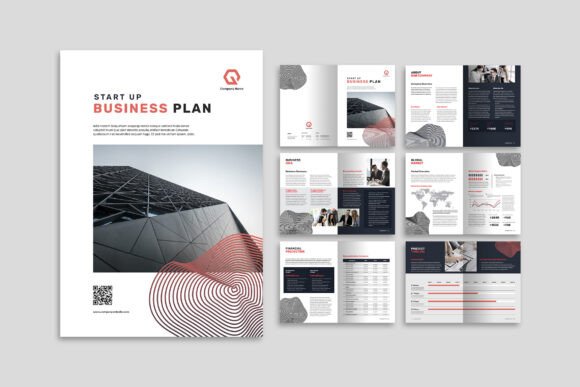
The Startup Business Plan template is a 12-page InDesign document built to A4 format (29.7 cm x 21 cm). It includes a front cover and back cover, plus ten internal pages designed to hold a mix of images, infographics, and text. The layout is clean, elegant, and flexible enough for a wide range of project objectives.
Key specifications include CMYK colour format, 300 DPI resolution, and 3 mm bleed, which means the file is print-ready out of the box. The smart layer structure keeps elements organised, making it easy to swap visuals, adjust text, or change colours without breaking the design. The template comes in both INDD and IDML formats, so it works with current and older versions of InDesign.
Importantly, the fonts used are sourced from DaFont or Google Fonts, which are free to download. This removes a common friction point where premium fonts require separate licences. The template also uses a clean, modern aesthetic that suits both digital presentations and printed documents.
Where This Template Fits in the Business Planning Process
A business plan is rarely a one-off document. It evolves through several stages, and the Startup Business Plan template is useful at multiple points in that lifecycle.
Before the Project: Structuring Your Thinking
When you are still gathering ideas and research, having a layout framework helps you see what information you need. The template’s page structure guides you to think about sections such as executive summary, market analysis, product description, financial projections, and team overview. Instead of starting from a blank page, you can fill in the pre-designed sections, which naturally prompts you to include the essential components investors and stakeholders expect.
During the Project: Streamlining Collaboration
If you are working with a team, the template’s organised layers and smart object placement make handoff easier. One person can handle the financial charts while another writes the narrative. Because the layers are neatly named and grouped, merging different contributors’ work requires minimal rework. This is especially helpful when deadlines are tight and multiple people need to edit the same file.
After the Project: Presentation and Distribution
Once the content is final, the template’s print-ready settings mean you can export a high-resolution PDF without additional tweaking. The consistent colour profile and bleed settings ensure that what you see on screen matches the printed version. This matters whether you are presenting in a boardroom, sending a digital copy to investors, or uploading the document to a company portal.
Integration with Other Tools, Methods, and Assets
No template works in isolation. The Startup Business Plan template sits within a broader ecosystem of tools and practices.
- Data sources: You will likely pull financial data from spreadsheets (Excel, Google Sheets) or accounting software. The template’s infographic-friendly layout means you can easily embed charts and tables exported from those tools. Plan your visuals in advance so the text flows around them naturally.
- Brand assets: If your company already has a brand guide, the template’s CMYK colour format and smart layers make it straightforward to update colours and fonts to match your existing identity. Consistency across documents reinforces brand trust.
- Research and writing tools: Use note-taking apps like Notion, Evernote, or Obsidian to draft your content before placing it into the template. This separates the writing process from the design process, reducing the cognitive load and helping you focus on one task at a time.
- Feedback systems: Share the InDesign file or a PDF export with reviewers using tools like Google Drive, Dropbox, or a project management platform. Because the file has clean layers, reviewers can reference specific elements without confusion.
Practical Implementation Tips
Getting the most out of this template involves more than just opening the file and typing. Here are actionable ways to integrate it into your workflow.
Prepare Your Content First
Before you open InDesign, write out your full business plan in a plain text editor or word processor. Structure it by section: executive summary, problem statement, solution, market size, competition, business model, team, financials, and milestones. Once you have a complete draft, you can then place the text into the template. This approach prevents you from getting distracted by design choices while you are still shaping your message.
Gather Your Visual Assets
Collect all images, logos, infographics, and charts before you start laying out the pages. The template includes placeholder visuals for preview purposes, but you will replace those with your own. Keeping your assets in a single folder with clear filenames saves time and avoids broken links. Because the template uses smart layers, you can drag and drop images directly into the designated frames.
Customise Fonts and Colours Early
The template uses free fonts from DaFont or Google Fonts. Download them before you start editing. If you prefer a different typeface, choose one that is readable at small sizes, especially for financial data or dense paragraphs. Similarly, adjust the colour palette to match your brand early in the process. Changing colours after text and images are placed can cause inconsistencies, especially if you use multiple spot colours.
Work with Layers for Efficiency
InDesign’s layer panel is your best friend here. The template comes with neatly organised layers, so use them. Keep text on its own layer, images on another, and background elements on a separate layer. This makes it easy to hide certain elements when printing draft versions or exporting specific sections for feedback. It also makes future updates much faster, because you can swap out an image or edit text without accidentally moving other objects.
Export with the Right Settings
When you are ready to share, export to PDF using the Press Quality preset if you intend to print. For digital distribution, use the Smallest File Size preset or a custom setting that balances quality and file size. Because the template is set at 300 DPI with 3 mm bleed, your print vendor will have no issues with cropping or resolution.
Use Cases Across Different Roles
The Startup Business Plan template is versatile enough to serve a variety of professionals.
- Entrepreneurs and startup founders: Use it to create an investor-ready document that clearly communicates your vision, market opportunity, and financial projections. The clean layout helps investors focus on your numbers and narrative rather than distracting design.
- Consultants and freelancers: Deliver polished business plans to clients who may not have the time or design skills to produce one themselves. The template’s professional look sets your work apart and justifies higher service fees.
- Marketers and educators: Use the template to create case studies, program proposals, or course materials that require a mix of text, data, and visuals. The infographic-friendly pages make complex information more digestible.
- Small business owners and hobbyists: If you are formalising a side project or applying for a small business loan, the template gives you a credible document without needing to hire a designer.
Quality Control and Consistency
One of the main advantages of using a structured template is consistency. Every page follows the same grid, type scale, and colour treatment. This is difficult to achieve when you build a document from scratch. To maintain quality:
- Check that all text fits within the designated frames. Overflow text is easy to miss, so use InDesign’s Preflight panel to catch errors.
- Verify image resolution. The 300 DPI setting means your images should be at least 300 DPI at the size they appear on the page. Low-resolution images will look pixelated in print.
- Proofread the entire document in one sitting. Because the template encourages a clean layout with plenty of white space, errors become more noticeable. Use a spell checker and ask a colleague to review the final version.
- Test your bleed and margins by exporting a sample page and reviewing the edges. The 3 mm bleed ensures that any trimming will not cut into your content.
Long-Term Use and Adaptability
Templates are most useful when they can be reused and adapted over time. The Startup Business Plan template is no exception. Once you have set up your brand colours, fonts, and visual style, you can save your customised version as a new InDesign template file (.indt). This becomes your go-to starting point for future business plans, proposals, or even annual reports.
Because the layout is flexible, you can also repurpose individual pages. For example, the infographic page layout might work well for a one-page executive summary or a financial overview in a different document. Keeping the template file organised and well-labelled means you can pull elements from it for months or years to come.
For teams, storing the template in a shared cloud folder ensures everyone works from the same version. This is especially valuable if multiple people contribute to the same document or if you need to produce a series of business plans for different projects.
Final Observations on Working with This Template
The Startup Business Plan template does not replace the hard work of writing a solid business plan. It does, however, remove the friction of layout and design. When you are not fighting with margins, spacing, or colour inconsistencies, you can focus on the substance: your market research, financial logic, and strategic vision.
For professionals who value efficiency and consistency, this template is a practical tool that fits naturally into the business planning workflow. It bridges the gap between a rough draft and a polished, investor-ready document without requiring advanced design skills. And because it is built on standard A4 dimensions with print-ready specs, it works seamlessly across both digital and physical formats.
If you are preparing a business plan in the near future, the smartest first step is not to open a blank InDesign file. It is to set up your content, gather your visuals, and then let a well-made template handle the rest. The Startup Business Plan template gives you exactly that foundation, freeing you to do what matters most: build a compelling case for your business.