Horizontal Timeline with Photos: A Versatile Tool for Visual Storytelling
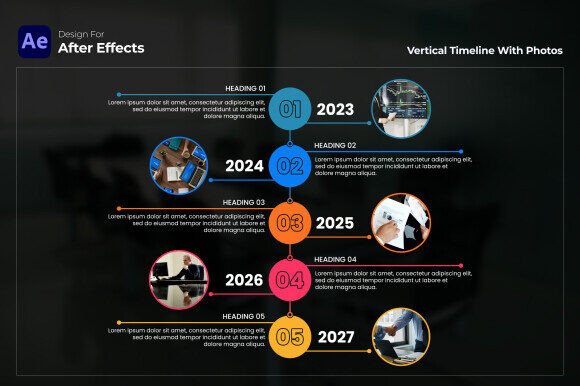
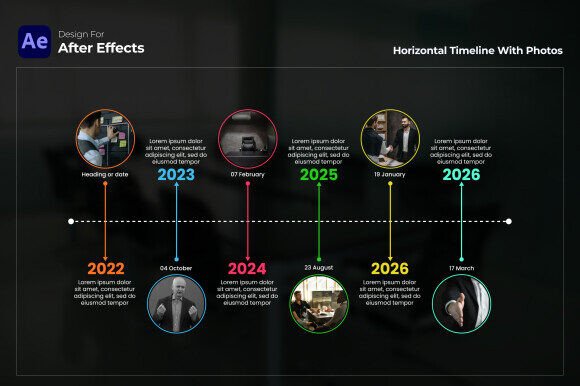
If you have ever needed to walk an audience through a sequence of events, you already know the challenge. It is easy to list dates on a slide. It is much harder to make people feel the progression. A static list can feel flat, while a cluttered infographic can overwhelm the viewer. This is exactly where the Horizontal Timeline with Photos template for After Effects steps in. Instead of forcing you to design a timeline from scratch, it hands you a polished, motion-ready framework that moves naturally from left to right. The result is an experience that feels intuitive, because reading a timeline from left to right mirrors how we process stories.
This template is not just a set of placeholders. It is a professional tool designed to help you communicate milestones, histories, or plans in a way that feels both dynamic and clear. Whether you are putting together a presentation for the boardroom or a highlight reel for a personal milestone, the structure saves hours of manual keyframing and lets you focus on what matters most: the story behind the dates.
Where the Timeline Fits Into Real-World Projects
You might be wondering if a horizontal timeline template is right for your specific project. The honest answer is that this format works surprisingly well across very different fields, from corporate marketing to personal creative work. The key is recognizing that a timeline is not just about listing events. It’s about showing momentum, evolution, or progress. Here are some of the most practical ways this tool gets used effectively.
Product Roadmaps and Strategy Presentations
One of the most common pain points for product managers and marketing teams is explaining a long-term roadmap without losing the audience’s attention. A bullet-point list of features coming in Q1, Q2, and Q3 rarely sticks. With the Horizontal Timeline with Photos, you can visually anchor each phase of the roadmap with a relevant image. For example, Q1 might show a photo of the initial prototype, Q2 could feature the beta testing team, and Q3 could display the final product launch event.
This approach does more than decorate the slide. It creates a visual anchor that helps stakeholders remember where the company is heading. I have seen teams use this template to secure internal buy-in simply because the narrative was easier to follow. The dynamic layout naturally encourages the presenter to walk the audience through the journey, step by step, rather than jumping between disjointed slides.
Event Retrospectives and Highlight Reels
Whether it is a wedding, a corporate anniversary, or a large-scale conference, people love looking back at key moments. A horizontal timeline allows you to structure these memories in chronological order. For an event recap, you can start with the preparation phase, move through the main highlights, and end with the closing moments.
Wedding videographers, in particular, find this format incredibly useful. You can structure the film as a journey from the engagement photos to the rehearsal dinner, the ceremony, and the reception. Each photo placeholder becomes a chapter. The viewer is carried along the timeline naturally, and the visual structure eliminates the need for on-screen text overload. The photos do the heavy lifting.
Internal Onboarding and Company History
When new team members join a company, they often get a dense slide deck about the company’s history. It is rarely memorable. A horizontal timeline turns that history into a visual story. You can plot the founding year, major product launches, key hires, and company milestones using photos from the archives. The new hire sees the company evolve in a few minutes, rather than reading a dry chronology.
This is also a fantastic tool for annual general meetings or investor updates. Instead of listing financial milestones as numbers in a table, you can pair each fiscal achievement with a photo of the team or the project that drove the results. It humanizes the data.
Educational Content and Process Breakdowns
For educational content creators or internal trainers, explaining a historical sequence or a step-by-step process can be challenging. The Horizontal Timeline with Photos makes it visual. Imagine teaching the stages of a design sprint or the key phases of a major historical event. The left-to-right motion mimics the progression of time, making it easier for the learner to follow the sequence.
Even user onboarding videos or product tutorials can benefit. You can show the user’s journey from discovering the product to becoming an advanced user. Each photo represents a stage of the experience. It is a subtle way to guide the viewer without feeling like a manual.
How Different Creators Benefit From the Same Tool
One interesting aspect of this template is how it serves vastly different users in unique ways. A freelance video editor might use it to upsell a client on a premium timeline video. An in-house marketing designer might use it to create a monthly social media recap for the CEO. A YouTuber might use it to structure a documentary-style video.
The Freelance Video Editor
If you are a freelancer, time is literally money. The Horizontal Timeline with Photos allows you to take on more projects by reducing the time spent on repetitive animations. You do not need to rebuild the structure for every client. You simply swap out the photos, adjust the text, and render. This is especially valuable for client projects that involve event recaps or business anniversaries. You can deliver a high-end look without charging for 20 hours of design work.
The Marketing Manager
For marketing managers, consistency is crucial. Using a template like this ensures that every timeline video or presentation has a uniform look and feel. You can customize the colors and fonts to match your brand guidelines, but the underlying layout stays professional. This is a huge advantage when you need to produce a quarterly performance review or a brand performance tracking video on a tight deadline. You know the output will look polished because the template is already built with clean composition.
The Non-Profit or Community Organizer
Non-profits often operate with limited design resources and small budgets. They still need to tell impactful stories for donors and stakeholders. A horizontal timeline allows them to present a year of impact in a visually compelling way. Photos of community events, milestones reached, and beneficiaries can be arranged to show growth and progress. It is a powerful tool for fundraising campaigns because it shows donors exactly how their contributions made a difference over time.
Strengths and Practical Considerations
Before jumping into a project, it helps to understand what this template handles well and where you might need to plan ahead.
Strengths That Stand Out
No plugins required. This is a big one. Many After Effects users have experienced the frustration of a project that breaks because a plugin is outdated or incompatible. Since the Horizontal Timeline with Photos works natively in After Effects CC 2023 and above, you are not dependent on third-party tools. This makes sharing projects with collaborators or rendering on different machines much safer.
Full HD resolution. The template outputs at 1920×1080, which remains the standard for presentations, YouTube videos, and most corporate screens. You do not have to worry about scaling or quality loss when projecting the video at a meeting.
Free font resources. Typography can make or break a professional video. The inclusion of free font links ensures that you can match the template’s intended aesthetic without spending additional money on licenses. It is a small detail, but it lowers the barrier to getting a professional result.
Limitations to Keep in Mind
After Effects knowledge is still required. While the template is user-friendly, it is not a beginner tool in the sense that you can open it with zero After Effects experience. You need to know how to navigate the timeline, import footage, and render a final file. For someone comfortable with the software, it is intuitive. For someone brand new, there may be a short learning curve around replacing images and text.
Format flexibility. The template is designed for a horizontal, wide-screen layout. If your primary distribution channel is vertical video for Instagram Reels, TikTok, or YouTube Shorts, you will need to adapt the composition. This is not a limitation unique to this template, but it is worth considering if your audience primarily consumes vertical content. You could place the timeline inside a larger vertical frame with background blur, but the native output is best suited for landscape viewing.
Photo quality matters. The template includes dedicated photo placeholders for a reason. It is designed to highlight your images. That means low-resolution or poorly composed photos will stand out. The template cannot fix a blurry or badly lit image. For the best result, you want high-quality, consistent photos that tell a coherent visual story. Taking the time to select and edit your images before importing them will dramatically improve the final output.
Choosing the Right Narrative for Your Timeline
Ultimately, the success of your project depends less on the template itself and more on the story you choose to tell. The Horizontal Timeline with Photos gives you a clean, professional stage. Your job is to decide which moments matter most. I have seen projects where users tried to cram too many events into the timeline, which diluted the impact. The best timelines are selective. They highlight the turning points, not every single step.
Think about the emotional arc of your timeline. Are you showing growth? Recovery? Innovation? Let the photos reflect that arc. If you are presenting a product development roadmap, show the messy prototype stage alongside the sleek final product. The contrast tells the story better than any text block could. If you are creating a personal timeline, choose photos that evoke the feeling of that moment, not just the date it happened.
The template also handles text well, but less is often more. Use the text fields to provide context, not to narrate the entire story. Let the photos and the horizontal motion carry the emotional weight. Your audience will thank you for trusting them to read the visual cues.
Whether you are a seasoned motion designer looking for a faster workflow or a business professional who needs to present a compelling narrative without a massive time investment, this template provides a solid foundation. It bridges the gap between a simple slideshow and a fully custom animation. By focusing on the sequence of events and the quality of your images, you can create a timeline that is not just visually appealing, but genuinely useful for your audience.